
DuckConvert · · Updated
Converting JSON to YAML (And Why You Should Do It Locally)
If you work in software development, DevOps, or system administration, you deal with configuration files daily. Two formats dominate this space: JSON (JavaScript Object Notation) and YAML (YAML Ain't Markup Language).
While machines love JSON because it is rigid and unambiguous, humans often prefer YAML because it is much cleaner, uses indentation instead of brackets, and allows for comments.
Whether you're writing a GitHub Actions workflow, a Docker Compose file, or a Kubernetes deployment, you will inevitably need to convert a massive JSON payload into readable YAML.
The Security Flaw with Free Online Converters
A quick search will reveal dozens of "JSON to YAML" formatting tools. As a developer, pasting your code into these tools is a common habit. But it is also a massive security risk.
Consider what your JSON files might contain:
- API Keys and Secrets
- Proprietary software architecture details
- Database connection strings
- Customer PII (Personally Identifiable Information)
When you paste that JSON into a random website, you are transmitting that data to a third-party server. They could be logging your queries, storing your secrets, or using your configuration data to train AI models.
DuckConvert: The Offline Developer Tool
DuckConvert was built with a "local-first" philosophy. When you load our data converter, the underlying JavaScript libraries (like js-yaml) are downloaded directly to your machine.
When you convert your JSON to YAML, the processing happens 100% inside your browser's memory. You can even turn off your Wi-Fi, and the tool will still work flawlessly.
Supported Conversions
- JSON to YAML: Clean up messy API responses into readable configs.
- YAML to JSON: Validate your YAML and format it for programmatic use.
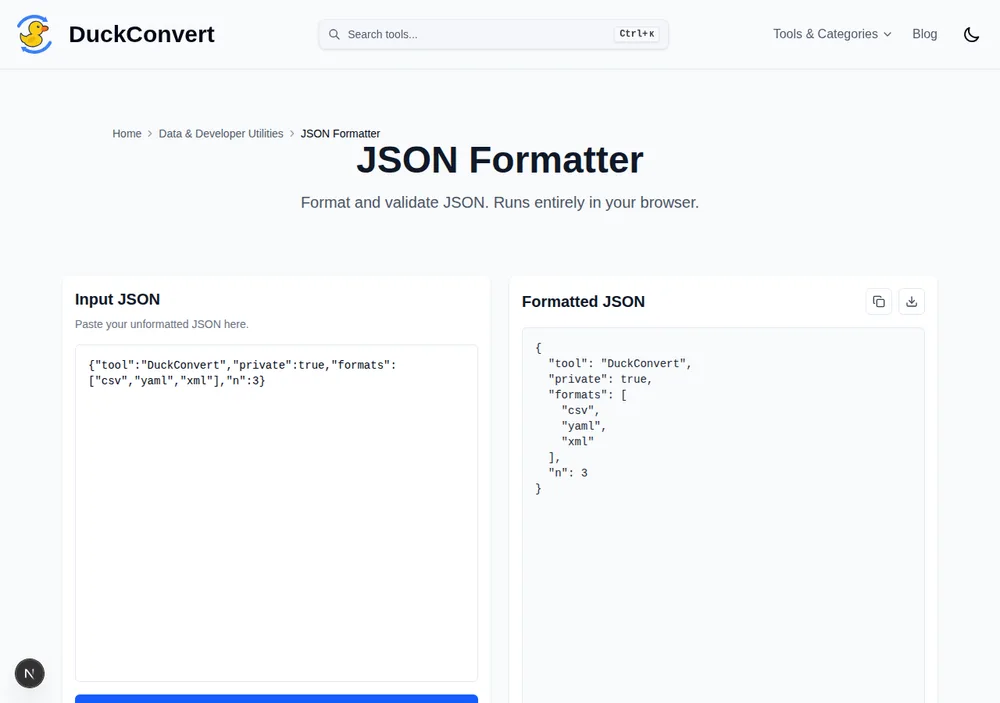
DuckConvert's JSON Formatter, one of the site's other JSON tools, doing the same client-side parse-and-reserialise these converters rely on.
How to Use It
- Go to the JSON to YAML Converter.
- Drag and drop your
.jsonor.yamlfile into the Dropzone. - Select your target output format.
- Click Start Conversion.
It happens instantly. Keep your secrets secret, and stop giving your company's architecture to random ad-supported websites.
What YAML can express that JSON cannot
Converting downhill from JSON always works, because every JSON document is already valid YAML. What that misses is that YAML has several features with no JSON equivalent, and a mechanical conversion produces none of them. Knowing what they are is the difference between output you ship and output you then rewrite by hand.
Anchors and aliases let a document reference itself. Define a block once with
&name, refer to it later with *name, and merge it into another mapping with
<<: *name. A Docker Compose file where six services share the same logging and
restart configuration can define that block once instead of repeating it six
times. No conversion can infer this, because the JSON it came from had the
repetition written out in full.
Comments are the other obvious gap, and the usual reason a config is kept in YAML at all. JSON has no comment syntax, so there is nothing in the source for a converter to carry across.
Multi-document streams are a third. A single YAML file can hold several
documents separated by ---, which is how a Kubernetes manifest bundles a
deployment, a service and a config map together. JSON has no such concept.
Block scalars, and why embedded scripts stop breaking
The feature most worth adopting after a conversion is the block scalar, because
converted output puts multi-line strings on one enormous line with \n escapes
in them, which is close to unreadable.
A literal block, written with |, preserves newlines exactly. A folded block,
written with >, joins lines into a paragraph. For a shell script inside a CI
config, | is what you want, and the difference between a legible run block and
a 400-character line is substantial.
Both take chomping indicators that control the trailing newline: |- strips it,
|+ keeps all of them, and plain | keeps exactly one. This matters more than
it sounds when the value is a key or a certificate, where one extra newline is
the difference between working and not.
Flow style, and knowing when to stop
YAML also permits JSON's own syntax inline, called flow style, and a converter
will sometimes emit it for short sequences. ports: [80, 443] is flow style and
is perfectly valid.
For short lists of scalars this is often more readable than three lines of block style, and there is no reason to expand it. Mixing the two deliberately, block style for structure and flow style for short leaf values, produces the most readable configs. Converted output tends to pick one and apply it everywhere, which is a reasonable default and rarely the nicest result.