All Offline Tools Directory
Explore our complete suite of file converters and utilities. All tools operate 100% locally in your browser. Your files are never uploaded to any server, ensuring absolute privacy and security.
Each tool below is built on the same idea: decode, process, and re-encode the file using Web APIs and WebAssembly running on your own device, rather than shipping it to a server and back. That means no upload wait, no account, and nothing about your files for us to accidentally mishandle. The categories below group everything by what you're trying to do, from converting a single image to batch-processing a folder of iPhone photos.
Images & Vectors
Compress, OCR, optimize, strip EXIF data, or convert image formats.
Image Converter
Convert between JPG, PNG, WebP, AVIF, HEIC, etc.
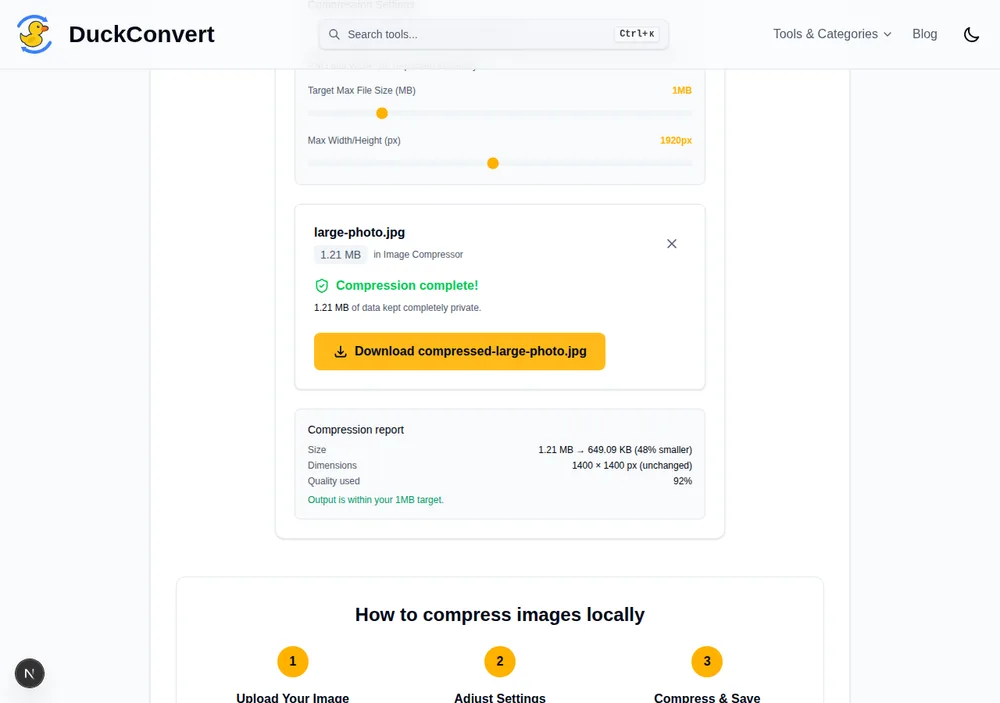
Image Compressor
Shrink image file size offline without quality loss.
Image OCR
Extract text from images locally inside your browser.
EXIF Stripper
Remove private metadata/location from photographs.
Blur Faces
Find faces in a photo and cover them for good.
Resize Image
Change an image's dimensions, or crop it to a shape.
Remove Background
Cut the subject out of a photo, or swap what's behind.
HEIC Batch Convert
Convert multiple iPhone HEIC photos to JPG at once.
Optimize SVG
Clean up and minify SVG vector paths locally.
PDF & Documents
Merge, split, convert, or extract text from PDF files.
PDF Tools
Complete suite of 100% private document processors.
Compress PDF
Shrink a scanned PDF by re-encoding the images inside.
Merge PDFs
Combine multiple PDF documents into a single file.
Split PDFs
Split PDF pages into standalone documents or files.
Images to PDF
Combine photos and scans into one ordered PDF locally.
Rotate PDF
Turn sideways pages the right way up, losslessly.
Unlock PDF
Remove a password you already know, on your device.
OCR PDF
Make a scanned PDF searchable, without altering it.
Redact a Document
Black out personal data so it cannot be recovered.
Add Page Numbers
Number PDF pages, with the cover left out if you like.
Watermark PDF
Stamp text or a logo across every page, at any angle.
Delete PDF Pages
Drop the pages you do not want, keeping the rest.
Extract PDF Pages
Pull chosen pages out into a single new document.
Reorder PDF Pages
Drag pages into the order the document should be in.
PDF to Images
Extract pages from PDF files as JPG/PNG images.
Audio & Video
Convert, trim, or extract audio tracks with offline FFmpeg.
Video & Audio
Convert MP4, WebM, MP3, WAV, GIF, and media files.
Video Compressor
Shrink a video to a sendable size, without uploading it.
Video Trimmer
Trim or cut video files with high-precision offline.
Mute Video
Strip the audio track without touching the picture.
Change Video Speed
Speed up or slow down, with pitch-correct audio.
Rotate Video
Fix a sideways clip so every player agrees.
Crop Video
Keep just part of the frame, at any aspect ratio.
Watermark Video
Stamp a clip with text or your own logo.
Add Subtitles
Burn an SRT into the picture, or attach it as a track.
Blur Faces in Video
Follow faces through a clip and cover them for good.
Trim Audio
Cut a section out of a track, keeping its format.
Audio Extractor
Rip and extract audio tracks from any video file.
Archive & Extractors
Create ZIP archives, or extract ZIP, RAR and TAR.GZ folders, fully offline.
Extract ZIP
Unpack and browse ZIP files locally inside your browser.
Extract RAR
Extract and inspect RAR archives without uploading.
Extract TAR.GZ
Open .tar.gz, .tgz and .tar bundles on your own device.
Extract 7Z
Read .7z archives without installing 7-Zip.
Create ZIP
Bundle any set of files into one ZIP, built in your browser.
Data & Developer Utilities
Generate QR codes, encode Base64, hash, or format files.
Data & Docs
Format, convert, and parse CSV, XML, JSON, YAML.
Geodata Tools
Convert and project spatial files (KML, GPX, GeoJSON).
QR Code Generator
Generate beautiful, customizable offline QR codes.
Hash Generator
Generate MD5, SHA-1, SHA-256, and SHA-512 hashes.
Base64 Encoder/Decoder
Encode text/files into Base64 or decode back.
URL Encoder/Decoder
Percent-encode or decode URL query strings securely.
JSON Formatter
Prettify, validate, parse, and format JSON structures.
Data Generator
Generate realistic mock data sets in JSON/CSV formats.
What Each Tool Has to Download Before It Can Run
Everything here runs locally, but “locally” still has a cost, and it is not the same cost for every tool. Some do their work with code that arrived with the page. Others need a compiled engine fetched on first use. Knowing which is which explains the one thing people find surprising: why merging a PDF is instant and the first video conversion makes you wait.
Nothing extra — it works the moment the page loads
The text and data utilities (Base64, URL encoding, JSON and CSV handling, the mock data generator), the SVG optimiser, the EXIF stripper, and the whole family of PDF page operations fall in this group. They are plain JavaScript working on bytes already in memory, or they lean on browser APIs — canvas, ImageDecoder, createImageBitmap — that your browser ships with. Image conversion mostly lives here too: the JPEG, PNG and WebP encoders are part of the browser, so converting between them is a decode and a re-encode with no download at all.
A small module, fetched once
A few jobs have no browser API behind them and need real compiled code. Extracting a ZIP, 7z, TAR or RAR archive pulls in a WebAssembly build of libarchive; removing a PDF password pulls in qpdf. Each is a single WebAssembly file of about a megabyte, cached by your browser afterwards, and it is fetched when you open that tool rather than on every page of the site.
A large one-time download
Three things are genuinely heavy. Video and audio conversion runs FFmpeg compiled to WebAssembly: about 10 MB gzipped over the wire, unpacking to roughly 32 MB of code that then lives in your browser’s cache, so the second conversion starts immediately and the first one does not. OCR downloads a trained language model before it can read anything, and background removal downloads a segmentation model. There is no way around this for the same reason the tools are private at all: a server-based converter keeps the codec on the server and sends you only the result, so the price of never uploading your file is downloading the machinery instead. The trade is a slow first run and then an unlimited, offline-capable tool, rather than a fast first run and a queue on someone else’s hardware.
All of it comes from us
Most browser-based converters load these engines from a public CDN, which quietly undoes part of the point: the CDN cannot see your file, but it can see your IP address and which tool you just opened. Every asset above is served from this site or from our ownassets.duckconvert.com storage, so opening the OCR tool tells a third party nothing, because no third party is asked. Once an engine is cached, most tools here keep working with no network connection at all — a reasonable test of whether a converter really runs where it claims to.